Which version of Java should be installed?
A comprehensive guide on the available Java versions, understanding LTS and Non-LTS, the Java release pattern, and deciding which version of Java to install.

Yaswanth Gudivada
July 28, 2026 · 6 min read
Agenda#
- What are the available Java versions?
- Why do we have so many Java versions available to download & install?
- Understand the terms LTS and Non-LTS
- Which version of Java should be installed?
What are the available Java versions?#
Java has several versions, each offering new features, improvements, and security updates. Below are some of the key Java versions:
- Java 1.0 (Released in 1996)
- The first version of Java, known as "Java 1," introduced the core functionality and syntax of the language.
- Java 1.1 (Released in 1997)
- Added new features such as inner classes, JavaBeans, and the event listener model.
- Java 1.2 (Released in 1998)
- Introduced the Java 2 Platform, including the Swing GUI toolkit, collections framework, and Java Plug-in.
- Java 1.3 (Released in 2000)
- Introduced performance improvements and several minor features like the HotSpot JVM.
- Java 1.4 (Released in 2002)
- Introduced features such as regular expressions, logging API, and the assert keyword.
- Java 5 (1.5) (Released in 2004)
- Major update with features like generics, metadata annotations, enumerated types, and the for-each loop.
- Java 6 (1.6) (Released in 2006)
- Improved performance, introduced the Java Compiler API, and enhanced the Java platform's integration with web services.
- Java 7 (Released in 2011)
- Introduced features like the try-with-resources statement, the diamond operator, and improvements in NIO.
- Java 8 (Released in 2014)
- A major release with the introduction of lambdas, the Stream API, and the java.time package for modern date-time handling.
- Java 9 (Released in 2017)
- Introduced the module system (Project Jigsaw), which helps with better modularization of code.
- Java 10 (Released in 2018)
- Introduced local-variable type inference with the
varkeyword and some performance improvements.
- Introduced local-variable type inference with the
- Java 11 (Released in 2018)
- A Long-Term Support (LTS) release with features like HTTP client API, and several deprecated and removed features.
- Java 12 (Released in 2019)
- Introduced features such as Shenandoah garbage collector and JVM constants API.
- Java 13 (Released in 2019)
- Introduced text blocks and other minor updates.
- Java 14 (Released in 2020)
- Added features like records (preview) and the helpful null pointer exception.
- Java 15 (Released in 2020)
- Introduced sealed classes (preview) and other minor updates.
- Java 16 (Released in 2021)
- Introduced features like pattern matching (preview) and the new native memory tracking.
- Java 17 (Released in 2021)
- A Long-Term Support (LTS) release with notable features like the enhanced
switchstatement and sealed classes.
- A Long-Term Support (LTS) release with notable features like the enhanced
- Java 18 (Released in 2022)
- Introduced features such as simple web server and UTF-8 by default for string handling.
- Java 19 (Released in 2022)
- Introduced new features like record patterns (preview) and virtual threads (preview).
- Java 20 (Released in 2023)
- Introduced features like virtual threads (final), scoped values, and more improvements.
- Java 21 (Released in 2023)
- A Long-Term Support (LTS) release with enhancements in performance, pattern matching, and other language features.
Java Architecture Before and After Java 11#
Before Java 11#
- Java used to have JDK (Java Development Kit) and JRE (Java Runtime Environment) as two separate parts.
- The JDK included:
- Java Compiler (
javac) - Development tools
- And also the JRE
- Java Compiler (
- The JRE included:
- Java Virtual Machine (JVM)
- Core libraries
- Other runtime components
So earlier, if someone just wanted to run Java programs (not develop), they could install only the JRE.
After Java 11#
- From Java 11 onwards, the JRE is no longer provided separately.
- Now, only the JDK is available, and it includes everything:
- Compiler, tools, JVM, and all runtime components.
So after Java 11, you just install the JDK, and you get everything needed to both run and develop Java applications.
Understanding LTS and Non-LTS in Java#
LTS – Long-Term Support#
- LTS stands for Long-Term Support.
- These Java versions are officially supported for a longer time (usually at least 8 years).
- They receive security updates, bug fixes, and performance improvements for many years.
- Best choice for:
- Enterprises
- Production environments
- Stable applications
Examples of LTS versions:
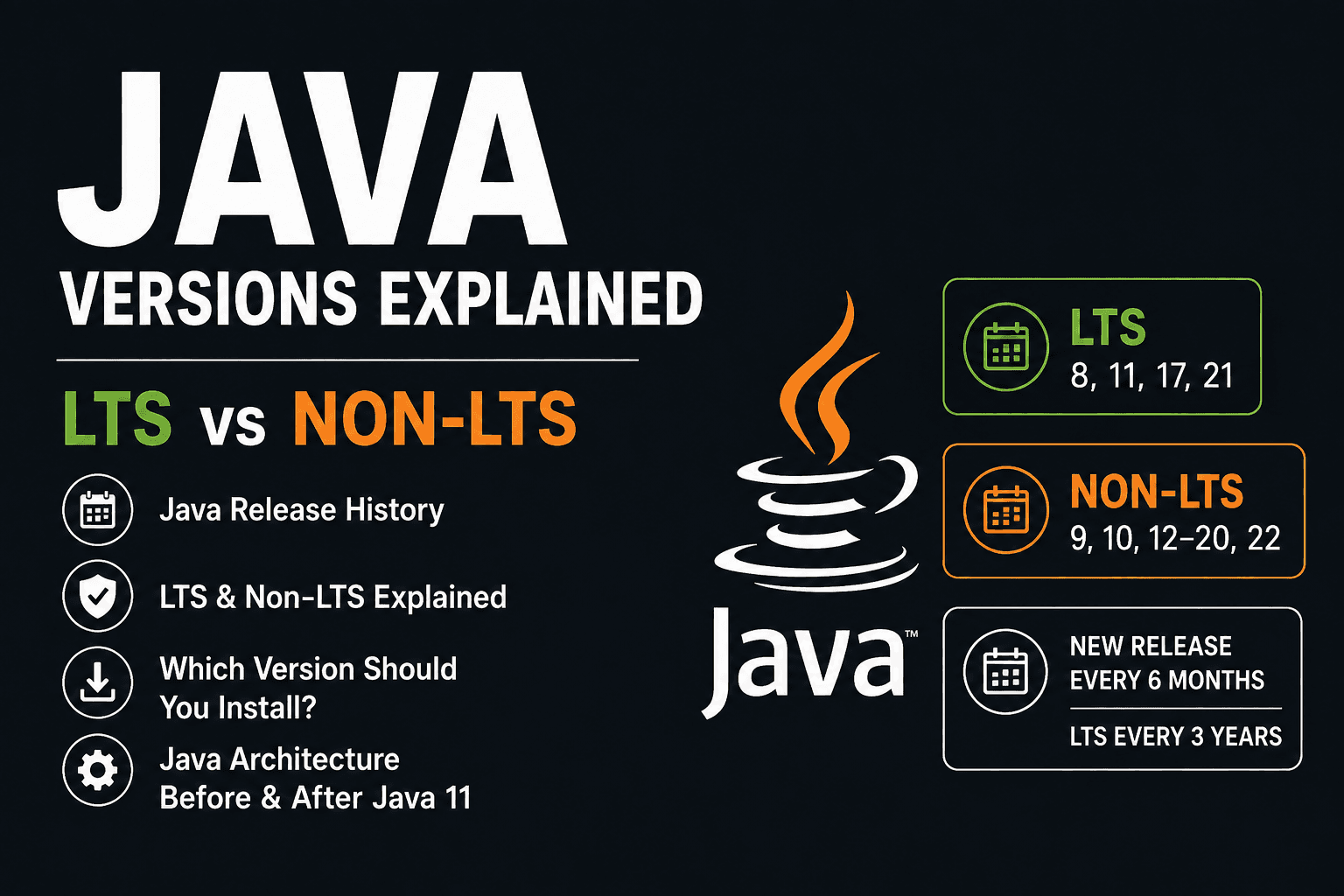
Java 8, Java 11, Java 17, Java 21
Non-LTS – Non-Long-Term Support#
- Non-LTS versions are interim releases between LTS versions.
- They receive support for a short period (usually 6 months).
- Mostly used by:
- Developers who want to try new features early
- For learning or testing
Examples of Non-LTS versions:
Java 9, 10, 12, 13, 14, 15, 16, 18, 19, 20, 22
Why Choosing the Right Java Version is Important#
If a company chooses Java as its main platform for development, it must choose the right version carefully.
If the company selects a non-LTS version (which has short-term support), it may lose official updates and security patches after a few months.
This can become a problem in the long run, especially for large applications, because:
- Bugs and vulnerabilities won’t get fixed.
- Upgrading frequently can be time-consuming and risky.
- It may break compatibility with tools and frameworks.
That’s why companies usually prefer LTS versions like Java 11, 17, or 21 — to ensure long-term stability and support.
Java Release Pattern Changed by Oracle#
Earlier, Java versions were released irregularly — sometimes a new version came after 4 or more years, which made planning difficult for developers and companies.
Oracle didn’t like this inconsistent pattern, so they introduced a new and predictable release cycle:
New Java Release Schedule (After Java 9)#
- Every 6 months: A new Non-LTS version is released (Example: Java 10, 12, 13, 14…)
- Every 3 years: A new LTS (Long-Term Support) version is released (Example: Java 11 → Java 17 → Java 21…)
This change helps developers:
- Get new features faster
- Plan upgrades better
- Use stable LTS versions in production
- Try out non-LTS versions for testing and learning
This predictable release model started from Java 9 (2017) onwards.
Downloading and Installation of Java version 8
Learn why we need Java software, how to download and install it from Oracle, and the crucial steps for setting up environment variables permanently.
Introduction to Java
A complete beginner's guide to Java: its history, features, advantages, disadvantages, and why it remains one of the most popular programming languages today.